Why Your Paper Folder Keeps Jamming: Misfeeds, Double Feeds, Skew, and Wrinkles Explained
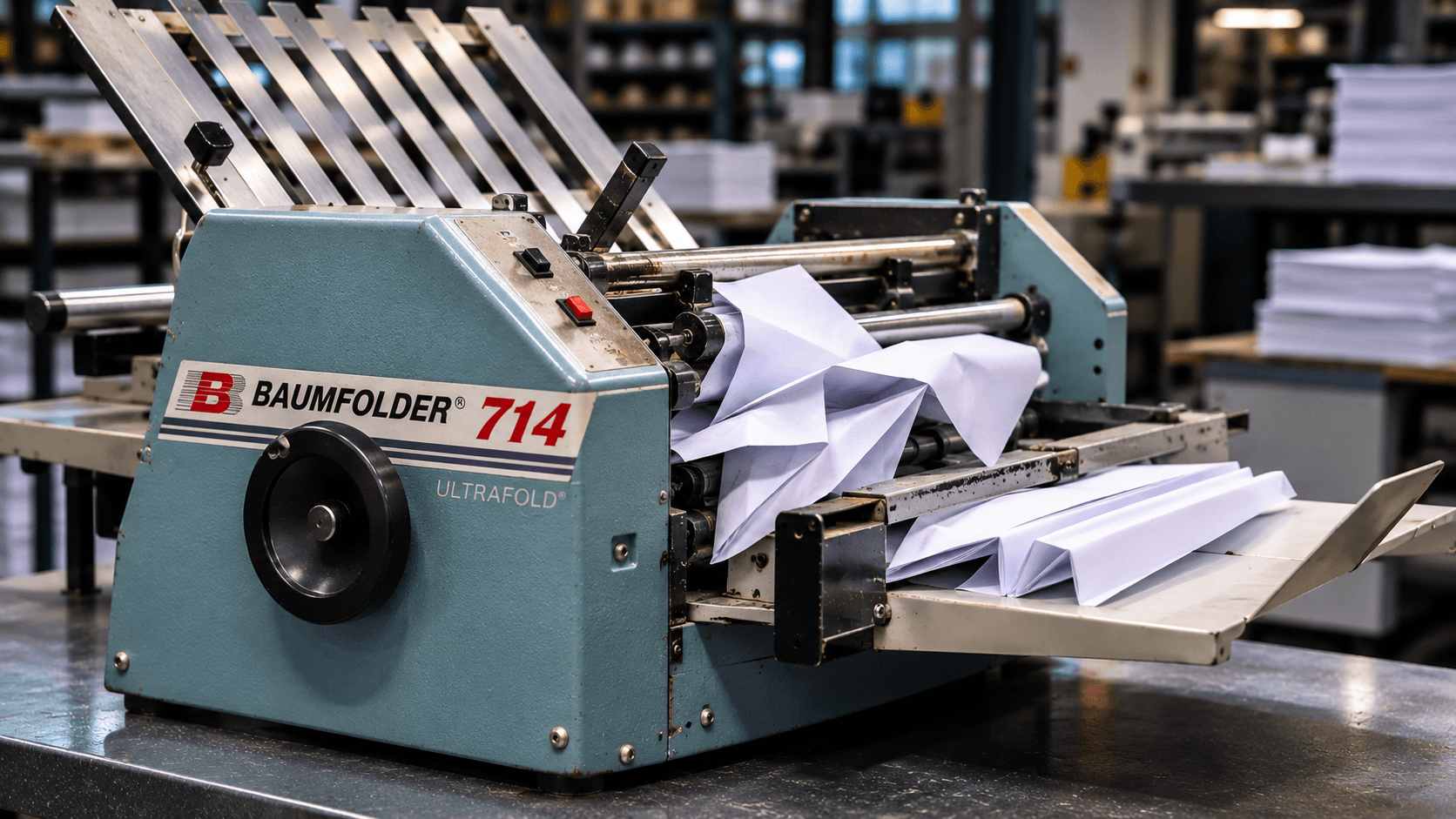
A paper folder that jams once an hour is annoying. A folder that jams every forty sheets is a machine nobody wants to run, and in most shops the fix is to stand next to it, clear it, and keep going. We get the service call when that stops working, and when we get there, most of the time the folder itself is fine. Something upstream is wrong: the feed is worn or set wrong, the rollers are dirty, a fold plate is off, or the paper changed and nobody adjusted the machine. Here is how to work through a jamming folder in the order that finds the problem fastest, what you can fix yourself, and what needs a technician.
Start by naming the jam
"It keeps jamming" covers five different problems, and they have different causes. Watch ten sheets go through and decide which one you have.
Misfeeds. The feed wheel turns and nothing goes in, or the sheet goes in late and stops short. Feed problem.
Double feeds. Two or three sheets go in together and wedge in the first fold plate. Separator problem, or static, or the stock.
Skewed sheets. The sheet goes in crooked, the fold is not square to the edge, and every few sheets one corner catches. Side guide, feed tire wear, or fold plate alignment.
Wrinkles and crinkles. The sheet feeds fine but comes out with a diagonal crease or an accordion at the fold. Roller problem, or the stock is too heavy or folded against the grain.
Jams inside the fold plates or at the exit. The sheet folds but does not clear. Fold plate stop, deflector, dirty exit rollers, or a stacker set wrong.
Once you know which one you have, go to that section first. If you have more than one, start with the feed, because a bad feed causes everything downstream.
Misfeeds and double feeds: the feed system
On a friction feed folder, rubber feed tires press the top sheet and pull it in while a separator or retard pad holds the sheets underneath back. Two settings and one wear part control everything.
Separator gap. This is the space between the feed tire and the separator. Too tight and the sheet cannot get through, so you misfeed. Too loose and the sheet below comes along, so you double feed. It has to be set for the stock on the machine right now, not the stock that was on it last week. The usual method is to set it so one sheet slides through with light drag and two sheets will not. If the operator never adjusts it between jobs, you will get misfeeds on heavy stock and doubles on light stock, and the fix is thirty seconds with the adjustment knob.
Feed pressure. Most folders have a weight or spring adjustment that sets how hard the feed tires press on the stack. Heavy or coated stock needs more pressure to get moving. Thin stock needs less or it buckles before it reaches the rollers. Again, set per job.
Feed tires. Rubber wears, hardens, and glazes. A feed tire that has gone shiny or slick will spin on the sheet, and a tire with a flat spot will feed in bursts and skew. Clean them first with a rubber roller cleaner, not alcohol or solvent, which dries the rubber out and makes it worse within days. If a clean tire still slips, or the rubber is cracked or hard to the fingernail, replace it. Feed tires and fold rollers are inexpensive wear parts and most shops should keep a set on the shelf for every folder they own.
The stack. Fan the stack before you load it to break the sheets apart and knock the static down. Do not overfill the feed tray past the marked limit, because a tall stack changes the feed angle and pressure. Square the stack against the side guides and the stop. Curled paper should go in with the curl down, or be flattened first, because a curled lead edge dives under the separator or rides over it.
Static and coated stock. Freshly printed digital output and glossy coated sheets stick to each other, which is the number one cause of double feeds in a shop that moved from offset to digital. Let digital output sit and cool before folding. Fan the stack more than you think you need to. If you fold coated or digital stock every day on a friction folder and it still doubles after the separator is set correctly, the honest answer is that you need an air feed folder, and we wrote about why coated stock needs air feed in detail.
Air feed folders have their own version of this. Check that the air and vacuum are actually blowing and pulling at the feed head, that the air filter is clean, and that the air blast and vacuum settings match the stock. A clogged filter on an air feed machine looks exactly like worn feed tires on a friction machine.
Skew: the sheet goes in crooked
Set the side guides so the stack can move freely but cannot wander. A guide that is too tight buckles the sheet; a guide that is too loose lets it drift. Both show up as a fold that is not square to the edge.
If the guides are right and the sheet still skews, look at the feed tires for uneven wear. A tire that is worn on one side pulls the sheet toward the other. On machines with two feed tires, one glazed tire and one good tire will twist every sheet. Clean or replace them as a pair.
Then check that the fold plates are seated fully and locked. A plate that is not pushed home sits at a slight angle, and every sheet entering it skews a little. On a tabletop folder this is the most common cause of a sudden skew problem after someone changed the fold setting.
Wrinkles, diagonal creases, and accordion folds: the rollers
Fold rollers grip the sheet and drive it into and out of the fold plates. They pick up toner, ink, paper coating, and dust, and they glaze over. A glazed roller slips on the sheet, the sheet stalls for a fraction of a second, and the part behind it keeps coming. The result is a wrinkle or a diagonal crease that starts at the fold.
Clean the fold rollers with a rubber roller cleaner on a lint-free cloth, turning them by hand with the machine off and unplugged. In a shop folding digital output this should happen weekly, sometimes daily, because toner glazing builds fast. If the rollers are clean and still slick to the touch, or you can see a shiny band where the sheet travels, they are worn and need replacing. Worn rollers also lose their grip unevenly across their width, which is the classic cause of a fold that is tight on one end and loose on the other.
Roller gap. Many folders have a roller pressure or gap adjustment for stock thickness. Too tight for heavy stock crushes and wrinkles; too loose for light stock lets it slip. Set it for the job, and reset it when the job changes.
Heavy stock and digital toner cracking. If the fold itself is cracking and showing a white line, that is not a jam problem and no roller cleaning will fix it. The stock needs to be creased before folding, either on a creaser-folder like the Duplo CF375 XPRO or on a separate creaser. Folding against the grain makes it worse on any machine. Check the grain direction before you blame the folder.
Jams in the fold plates and at the exit
Fold plate stops. The stop inside each plate sets the fold position. If it is loose, it walks during a run and the fold drifts until the sheet no longer fits the next plate and jams. Tighten it. If it is set too far in for the fold type, the sheet hits the end of the plate and crumples.
Deflectors. When a plate is not in use for a given fold type, its deflector has to be set to bypass. A deflector left in the wrong position sends the sheet into a plate that should be closed, and it jams every time. On manual folders this is the first thing to check after any fold-type change.
Exit rollers and stacker. Dirty or worn exit rollers let the folded piece sit in the exit instead of clearing, so the next piece runs into it. Clean them with the fold rollers. Set the stacker or conveyor speed so pieces shingle cleanly and do not pile up back into the exit. An overloaded output tray will stop a folder as reliably as any mechanical fault.
Sensors on automatic folders. Touchscreen and automatic folders rely on optical sensors to time the feed and detect jams. Paper dust on a sensor produces false jam stops, missed feeds, or double feed alarms when nothing is wrong. Blow the sensors out with compressed air and wipe the lenses as part of weekly cleaning. If a machine throws jam errors with no paper in the path, start here.
The South Florida problem: humidity
Paper is hygroscopic. It takes on moisture from the air, and in Miami, Fort Lauderdale, and West Palm Beach the air has plenty to give. Paper that sits open on a shelf picks up humidity at the edges first, which makes the edges wavy and the sheet limp. Wavy sheets do not feed square, limp sheets buckle in the fold plates, and a job that folded perfectly in the morning jams all afternoon after the door to the loading dock has been open.
Keep paper wrapped until it goes on the machine. Store it off the floor and away from exterior doors. If you receive a pallet from a cold truck in summer, let it acclimate in its wrap before you open it, or condensation forms on the sheets. If your shop has a humidity problem, your folder is not the only machine suffering; your cutter, your booklet maker, and your press all feed better with the paper under control.
A ten-minute weekly routine
- Clean the feed tires, fold rollers, and exit rollers with rubber roller cleaner. Daily if you fold digital output.
- Check the feed tires for glazing, cracks, and flat spots. Replace as a set when they go.
- Blow out the sensors and the fold plate entries with compressed air.
- Check that fold plate stops are tight and that the plates lock home.
- Empty the dust tray if your machine has one, and wipe the feed table.
- Look at the air filter on air feed machines.
Set the separator and feed pressure at the start of every job, not every week. That part is operator habit, and it prevents more jams than any cleaning.
When to call for service
These are not adjustments:
- Feed that misses or doubles with new tires, a correct separator gap, and good stock
- Fold rollers that are worn, scored, or out of parallel
- Fold plates that will not hold a setting or have bent stops or deflectors
- Grinding, squealing, or a motor that slows under load
- Belts, chains, or clutches that slip
- Electrical faults, error codes that persist after cleaning the sensors, or a touchscreen that loses settings
We repair and service paper folders across Miami-Dade, Broward, and Palm Beach on Baum, Duplo, Formax, MBM, Martin Yale, and most older machines. A preventive maintenance plan covers the roller and tire replacements, timing, and alignment on a schedule, which is the only reliable way to keep a high-volume folder from becoming the machine everyone avoids.
When the folder is the wrong machine
Sometimes nothing is broken. The machine was bought for letters and the work is now glossy brochures, or it was bought for a few hundred sheets a day and is running thousands. A friction feed tabletop like the MBM 408A or Duplo DF-990A is excellent on uncoated work and will fight you on coated. An air feed machine like the Formax FD 3302, Duplo DF-1300L, or Baum 714XLT feeds coated and digital stock without the drama. If you are not sure which side of that line your work falls on, send us a few sheets of what you fold most and we will tell you. Browse the full paper folder lineup, or request a quote.
Need feed tires or fold rollers now? Order them through our supplies store with your folder's make and model and we will match the parts. Or call 786-916-3713 and describe the jam. The five types above are usually easy to tell apart over the phone.