Paper Cutter Not Cutting Straight or Clean? Blade, Cutting Stick, Clamp, and Backgauge Problems Explained
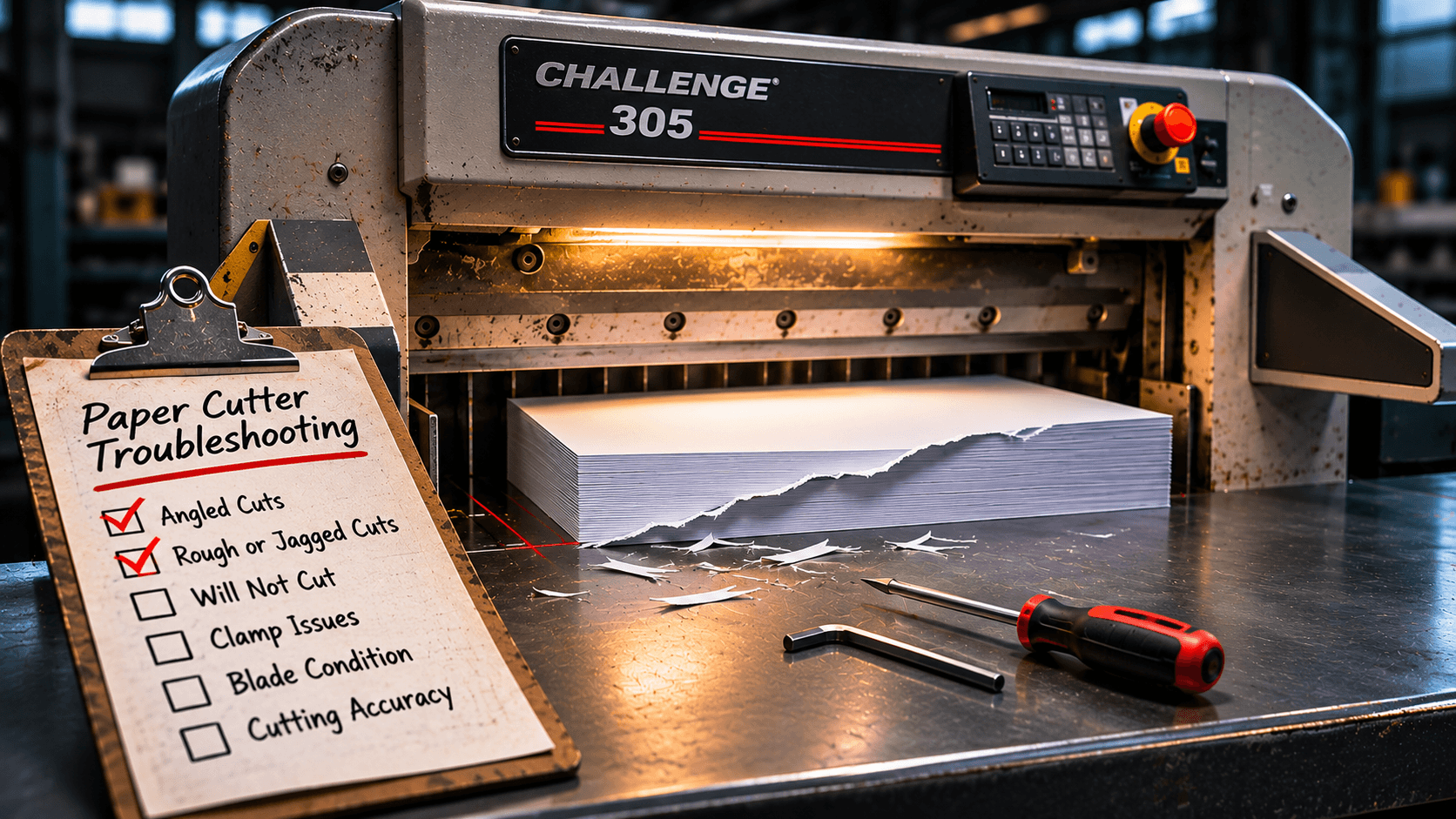
The call usually starts the same way: "The cutter is cutting crooked." Sometimes it is crooked. More often the bottom few sheets are ragged, the stack is pulling under the clamp, or every cut is a hair short on one side, and the operator has been compensating by hand for weeks. A guillotine cutter is one of the simplest machines on a print shop floor, and almost every cut-quality complaint comes down to four things: the blade, the cutting stick, the clamp, and the backgauge. Three of those you can check and fix yourself in under an hour. Here is how to tell which one you are looking at, and when it is time to stop adjusting and call for service.
First, know what a bad cut looks like
Different problems leave different marks. Before touching anything, cut a lift of your normal stock and look at the result.
Fuzzy or torn edges, especially on the bottom sheets. The blade is dull, or the cutting stick is grooved so deep the blade never reaches the last sheets.
The bottom sheet is nicked but not cut through. Cutting stick, or blade depth set too shallow after a knife change.
The cut face leans. Lay the cut stack on its side: if the top sheets are shorter or longer than the bottom sheets, the stack moved while the blade went through. Cutters call this draw. The cause is a dull blade, too little clamp pressure, or a lift that is too tall for the stock.
The cut is clean but not square. Flip the cut piece end for end and lay it against the backgauge. If the far corner shows a gap, the backgauge is out of square or the stack was not jogged tight.
Clamp marks or a shiny band on soft stock. Clamp pressure is too high for the paper, or the clamp plate needs a false clamp.
The machine strains, slows, or the cut sounds different. The blade is dull and the hydraulics are working harder than they should. On a hydraulic cutter this also shortens pump and seal life.
Match your symptom to the list and start with the cheapest fix.
The blade: dull knives cause most of it
A guillotine knife does not fail suddenly. It gets a little duller with every cut, and the edge wears fastest on coated stock, recycled stock with filler, laminated sheets, and anything with heavy toner coverage. A busy shop running a mix of digital work can dull a knife in two to four weeks. A shop cutting plain offset stock might go two or three months. The machine does not tell you. The paper does.
The signs are torn bottom sheets, dust and fibers piling on the table, more draw than you used to see, and a cut that sounds like a push instead of a slice. If you have been raising clamp pressure to get a clean cut, that is the blade talking.
The fix is a sharp knife, not a new machine. Most shops should own two blades for each cutter and keep one at the grinder while the other is in the machine. A professional regrind takes a few days, removes very little steel, and a quality blade can be resharpened many times before it gets too narrow. Order a replacement guillotine blade matched to your make and model if you only have one, and start the rotation.
Two things matter at knife change time. The bevel angle should match your work: a lower angle (around 19 to 20 degrees) slices soft paper cleanly but chips faster, and a steeper angle (around 22 to 24 degrees) holds up on board, laminates, and coated cover. If your shop's work has changed since the cutter was bought, tell the grinder. And the knife depth has to be reset after every change. The blade should just kiss the cutting stick: set it so a single sheet of 20 lb bond laid on the stick is cut cleanly across the full width and no more. Too deep eats cutting sticks, rounds the edge in days, and can crack a blade tip. Too shallow leaves the last sheet hanging.
Blade changes are routine, but the knife is heavy and sharp along its entire length. Use the knife changing tool and handles the machine shipped with, never reach under a raised knife, and do not bypass the two-hand controls or light curtain to speed things up. If anyone on your floor is uncomfortable doing it, that is a normal thing to have your service technician handle.
The cutting stick: the cheapest part that gets ignored the longest
The cutting stick is the plastic or nylon strip set into the table where the blade lands. Its only job is to give the knife something soft to finish the cut into so the last sheet separates cleanly and the edge does not hit steel. Every cut leaves a tiny groove. After enough cuts in the same spot, the groove is deep enough that the bottom sheets sit in it and the blade never fully reaches them.
The symptom is specific: everything cuts clean except the bottom one to three sheets, which tear or hang on by a thread. Operators often respond by setting the knife deeper, which works for a day and then destroys the stick and the blade edge together.
Rotate before you replace. Most sticks are square in section and can be turned to expose a fresh face, and flipped end for end, which gives you eight cutting surfaces from one stick. Rotate every time you change the knife at a minimum, and sooner if you cut in the same position all day. When every face is grooved, replace it. Cutting sticks cost very little, and a box of them is the best money you will spend on the machine this year.
A badly grooved stick also shows up as a wavy or uneven bottom edge, because the sheet is being pushed into the groove and cut at an angle. If your bottom-sheet edge changes depending on where along the table you cut, that is the stick.
The clamp: too little pressure causes draw, too much leaves marks
The clamp holds the stack still while the blade slices through at an angle. The knife enters the paper diagonally, and as it does, it pushes the sheets forward. The clamp's job is to stop that movement. If pressure is too low for the stock, the top sheets move, the bottom sheets do not, and the cut face leans. The finished pieces are different lengths top to bottom, which is why trimmed booklets come out with a visible step or a brochure's fold does not line up with its edge.
Set clamp pressure by stock, not once. Thin, slick, and coated papers need more pressure because the sheets slide against each other. Heavy board and padded stacks need less. Smaller lifts need less than tall ones. On a hydraulic cutter the pressure gauge should move noticeably between a 20 lb bond job and a 100 lb gloss cover job. If the operator never touches it, draw is the result.
The opposite problem is clamp marks: a crushed or glossy band along the cut edge on soft, uncoated, or textured stock. Lower the pressure, or fit a false clamp plate, which spreads the force over a wider area and is standard practice for anything with a soft surface.
If the clamp is slow to come down, will not hold pressure through the cut, drifts after it lands, or you hear the pump laboring, that is not an adjustment. On hydraulic cutters it points to low or aerated fluid, a tired pump, or seals, and it needs a technician.
The backgauge: when the cut is clean but the size is wrong
The backgauge sets the dimension. If the cuts are clean but not square, or the sizes drift through a run, start by ruling out operator-side causes: the stack was not jogged tight against the backgauge and side gauge, there is paper dust or a scrap under the lift, or the air table is leaking so the stack floats. Jog every lift, keep the table clean, and push the stack firmly back before clamping.
If the stack is right and the cut still is not square, check the gauge itself. Cut a sheet, rotate it 180 degrees, place it against the backgauge, and look at the cut edge against the knife line. A gap on one side means the gauge is out of square, usually from a knock, a moved machine, or wear in the drive. On programmable cutters, a size that reads correct on the display but measures short or long is a calibration problem, and a size that changes depending on which direction the gauge traveled to reach it is backlash in the leadscrew or drive. Both are a service visit, not a setting.
A five-minute weekly routine that prevents most of this
- Cut a test lift of your heaviest regular stock and check the bottom sheet, the squareness, and the cut face lean.
- Look at the cutting stick where you cut most. Rotate it if there is a visible groove.
- Wipe down the table, backgauge face, and clamp so nothing sits under the lift.
- Check hydraulic fluid level on the sight glass, and look for oil under the machine.
- Note the date of the last knife change on a tag on the machine. If it has been more than a month in a busy shop, order the regrind now so the spare is ready.
Shops that do this stop having cutter emergencies. The ones that do not run the knife until the bottom sheets tear, then run it another month.
When to stop adjusting and make the call
Blade, stick, and clamp pressure are operator jobs. These are not:
- Clamp or knife that is slow, hesitates, or drifts under load
- Oil leaks, foamy or dark hydraulic fluid, or a pump that runs hot
- Backgauge out of square after a knock, or sizes that do not repeat
- Knife that will not hold depth, or a knife bar that sits unevenly after a change
- Any safety control that has been bypassed, is intermittent, or does not stop the cycle
- A cut that is still poor with a freshly ground blade, a fresh stick, and correct clamp pressure
These are mechanical and hydraulic problems, and they get more expensive the longer the machine runs with them. We repair and service paper cutters across South Florida on Challenge, Perfecta, MBM Triumph, Formax, Duplo, and most older machines still on floors in Miami-Dade, Broward, and Palm Beach. If you would rather not think about any of this, a preventive maintenance plan puts the blade rotation, stick changes, hydraulic checks, and backgauge calibration on a schedule and off your list.
If the cutter is simply worn out
Sometimes the honest answer is that a 30-year-old machine has a worn knife bar, a tired hydraulic system, and a backgauge that will never hold square again, and the next repair costs more than it is worth. If that is where you are, the current lineup is a big step up: a Challenge Titan 200Pro or Titan 230Pro for most digital and small commercial shops, a Champion 370 TC or MBM Triumph 5560 when you need more width and daily volume, and the Formax Cut-True hydraulic series as a strong value option. Browse the full paper cutter lineup, or request a quote and tell us what you cut. We will tell you whether your current machine is worth fixing first.
Need blades or cutting sticks today? Order them through our supplies store with your make and model and we will match the correct part. Not sure what you are looking at? Contact us or call 786-916-3713 and describe the cut. We can usually tell you which of the four it is over the phone.