Preventive Maintenance Checklist for Print Finishing Equipment
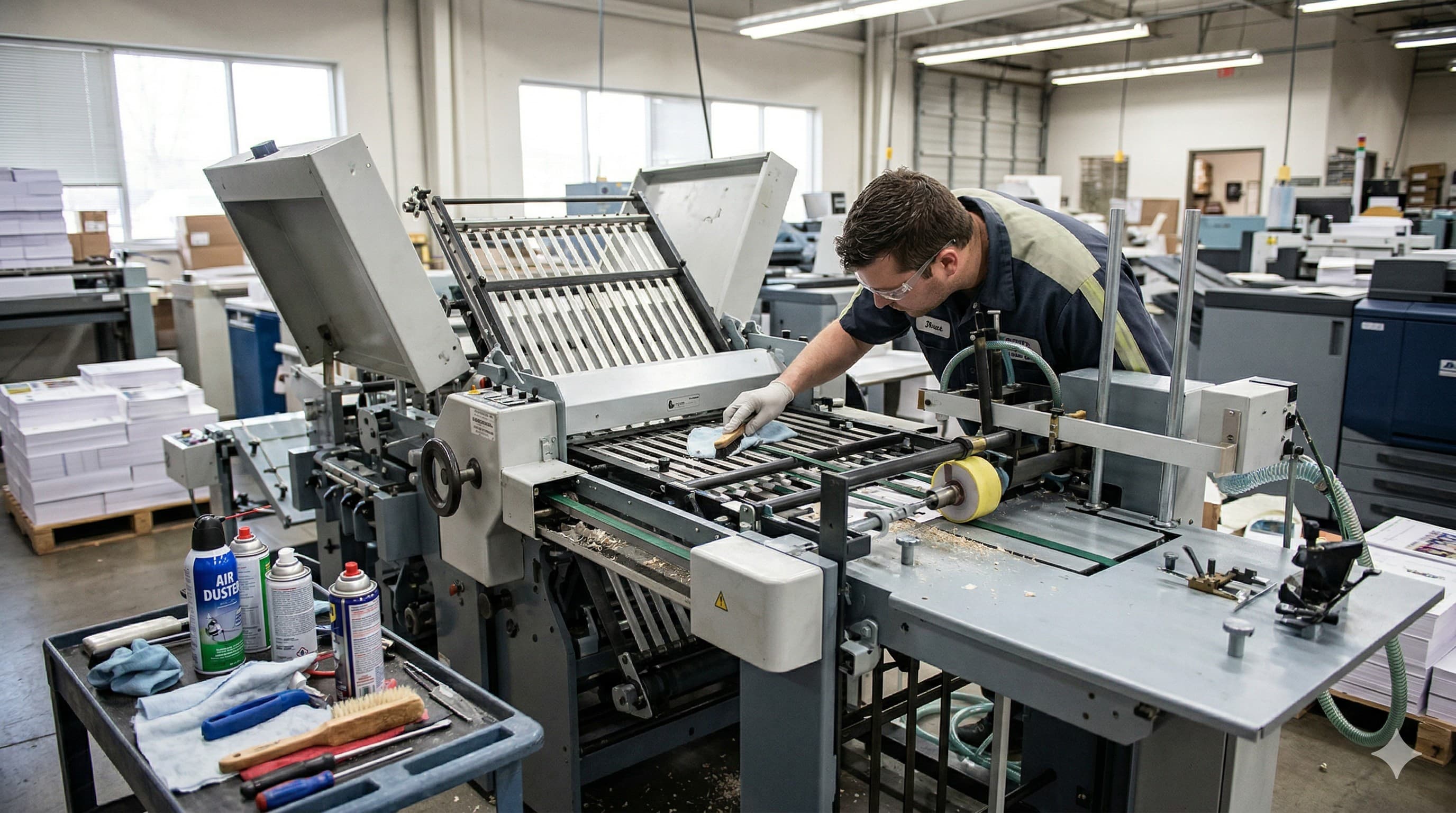
Preventive Maintenance Checklist for Print Finishing Equipment
The difference between a finishing machine that lasts 5 years and one that lasts 25 years is preventive maintenance. We've been servicing print finishing equipment for four generations, and the pattern is always the same: shops that follow a maintenance schedule have fewer breakdowns, better output quality, and dramatically lower repair costs over the life of their equipment.
This checklist covers the most common finishing equipment categories — paper cutters, folders, and laminators — with tasks organized by frequency.
Paper Cutter Maintenance
Daily Tasks (5-10 minutes)
- Clean the cutting table — remove paper dust, trim scraps, and debris from the table surface and backgauge area. Paper dust is abrasive and accelerates wear on moving parts.
- Wipe down the backgauge — clean the backgauge fence and rail surfaces. Debris on the fence causes inaccurate positioning.
- Inspect the cutting stick — rotate or flip the cutting stick when you see a visible groove at the blade contact point. A worn cutting stick causes unclean cuts at the bottom of the stack.
- Check the blade visually — look for nicks or chips in the blade edge. A damaged blade should be replaced or resharpened immediately.
- Verify safety systems — test the two-hand control, light curtain (if equipped), and blade lock at the start of each shift. Never operate a cutter with a malfunctioning safety system.
Weekly Tasks (15-20 minutes)
- Check hydraulic oil level — the oil reservoir has a sight glass or dipstick. The level should be within the manufacturer's specified range. Low oil means air can enter the system, causing erratic blade and clamp movement.
- Inspect hydraulic hoses and fittings — look for oil seepage, cracked hoses, or loose fittings. Address any leaks immediately.
- Lubricate the backgauge — apply a light machine oil to the backgauge lead screw and guide rails per the manufacturer's recommendations. Dry rails cause premature wear and inaccurate positioning.
- Clean the clamp pad — remove any paper residue or adhesive buildup from the clamp pad. A dirty clamp pad can mark coated stock.
- Test backgauge accuracy — program a known measurement (e.g., 6.000") and verify with a precision ruler or gauge. If it's off, recalibrate before it drifts further.
Monthly Tasks (30-45 minutes)
- Check hydraulic oil condition — oil should be clear amber, not dark or milky. Dark oil indicates breakdown; milky oil indicates water contamination. Either condition requires an oil change.
- Inspect blade bolts and clamp alignment — verify that the blade is properly seated and all mounting bolts are torqued to spec.
- Clean and inspect the air table (if equipped) — check that all air holes are clear and the blower is functioning. A clogged air table makes it harder to position heavy stacks.
- Lubricate blade guides — the blade carrier rides on guides or gibs that need periodic lubrication to ensure smooth, straight blade travel.
- Check electrical connections — look for loose wires, frayed cables, or corroded connectors in the control cabinet (with power off).
Quarterly Tasks (1-2 hours, may require a technician)
- Change hydraulic oil and filter — follow the manufacturer's recommended oil specification and change interval. Fresh oil extends pump and cylinder life significantly.
- Inspect blade carrier bearings — worn bearings cause blade drift and uneven cuts. A technician can check bearing play and preload.
- Calibrate the backgauge — perform a full calibration procedure to ensure accuracy across the full travel range.
- Inspect and test all safety systems thoroughly — have a qualified technician verify light curtain alignment, interlock function, and emergency stop circuits.
Folder Maintenance
Daily Tasks (5 minutes)
- Clean the fold plates — remove paper dust and debris from inside the fold plates. Dust buildup causes misfeeds and inconsistent folds.
- Wipe down feed rollers — rubber feed and fold rollers accumulate paper dust and coating residue. Wipe with a damp lint-free cloth. Dirty rollers cause skewing and double-feeds.
- Clear the paper path — check for any jammed scraps or torn sheets in the paper path and delivery area.
- Empty the reject tray — if the folder has an automatic reject system for misfeeds, empty it and check for patterns (frequent rejects indicate a setup or maintenance issue).
Weekly Tasks (15-20 minutes)
- Deep clean fold rollers — use a rubber roller cleaner (not household cleaners, which can dry out the rubber) to remove built-up residue. Restored roller tack dramatically reduces feed problems.
- Check fold roller pressure — rollers should have consistent contact pressure across their width. Uneven pressure causes skewed folds.
- Lubricate the feed system — apply a small amount of light machine oil to any specified lubrication points on the feed mechanism.
- Inspect belts and bands — check the transport belts for cracking, stretching, or glazing. Worn belts cause slipping and inconsistent fold quality.
- Verify fold accuracy — fold a test sheet and measure the fold position. Adjust if the fold has drifted from spec.
Monthly Tasks (20-30 minutes)
- Inspect the suction feed system (if equipped) — clean the suction cups, check the air pump filter, and verify that suction is strong enough to reliably separate and feed sheets.
- Check the air separation system — verify that the air nozzles are properly separating sheets. Blocked nozzles cause double-feeds on coated stock.
- Inspect fold roller condition — look for glazing (shiny, hardened rubber surface), cracking, or flat spots. Glazed or damaged rollers need replacement.
- Tighten all fasteners — vibration loosens bolts and screws over time. Check and tighten frame bolts, guard mounting hardware, and roller shaft set screws.
Laminator Maintenance
Daily Tasks (5 minutes)
- Clean the laminating rollers — after every use, wipe the heated rollers with a soft cloth while they're still warm (not hot) to remove any adhesive residue. Buildup on rollers causes bumps and imperfections in the laminated surface.
- Check film tracking — verify that the lamination film is feeding straight and centered. Misaligned film causes wrinkles and waste.
- Inspect the film supply — check for damaged or wrinkled areas in the film roll. Feed past any damaged sections before laminating production work.
Weekly Tasks (10-15 minutes)
- Deep clean rollers — use the laminator manufacturer's recommended roller cleaning sheets or solution. This removes adhesive buildup that daily wiping misses.
- Check roller alignment — rollers should be parallel and have even pressure across their width. Uneven pressure causes one side of the laminate to bond poorly.
- Inspect the film path — check all guide rollers and tension bars for debris or adhesive buildup that could cause film jams.
- Verify temperature calibration — use an infrared thermometer to check that the roller surface temperature matches the controller setting. Incorrect temperature causes poor adhesion or film wrinkling.
Monthly Tasks (20-30 minutes)
- Inspect the heating elements — check for even heat distribution across the full roller width. Cold spots cause adhesion failures.
- Check the cooling system — if the laminator has a cooling section, verify that fans are working and airflow is unobstructed.
- Lubricate bearings and gears — follow the manufacturer's lubrication schedule for any mechanical drive components.
- Inspect electrical components — check power cords, switches, and connections for damage or wear.
The Benefits of a Service Contract
While daily and weekly maintenance can be handled by your operators, monthly and quarterly tasks often benefit from professional service. A service contract with Presstech gives you:
- Scheduled preventive maintenance visits — we come to you on a regular schedule so nothing gets missed
- Priority emergency service — when something breaks, contract customers go to the front of the line
- Parts discounts — reduced pricing on replacement parts and consumables
- Equipment life extension — professionally maintained equipment lasts years longer than neglected equipment
- Documentation — we maintain service records for every machine, which supports warranty claims and resale value
Keep Your Equipment Running
Preventive maintenance isn't glamorous, but it's the highest-ROI activity in any finishing department. Fifteen minutes a day of basic maintenance prevents thousands of dollars in emergency repairs and keeps your production running on schedule.
Want to set up a preventive maintenance plan? Call Presstech at (786) 916-3713 or contact us online to discuss service contracts and maintenance programs for your finishing equipment.